

Hey there! Have you ever received a data breach notification and felt like it left you in the dark? Well, you’re not alone. Let’s dive into why these notifications are becoming vaguer and what you can do about it.

12 Oct 2026
•
,
7 min. read
Let’s talk about publicly reported data breaches. In the US alone, there were over 3,300 incidents last year, affecting nearly 280 million people. But here’s the kicker – many of these breach notifications are missing crucial details.
The volume of data breaches is on the rise, increasing the likelihood of you becoming a victim. However, a recent report by the Identity Theft Resource Center (ITRC) revealed that only 24% of victim notices in the first half of 2026 contained information about the attack vector. That’s the lowest rate ever recorded by the ITRC.
This lack of detail not only hinders your ability to assess your risk but also limits your options for taking action to protect yourself. In fact, 75% of victims surveyed by the ITRC expressed a desire for a clear list of what data was compromised.
Why the secrecy?
There are several reasons why companies might be reluctant to disclose all the details of a data breach. Crisis communication teams may release partial information to customers to manage their reputation and prevent speculation, even if they don’t have the full story yet.
Gathering information on the extent of a breach can take time, especially with large amounts of data involved. Additionally, disclosing too much could inadvertently aid other cybercriminals or compromise ongoing investigations.
Financial concerns also play a role in limited disclosure. Companies fear that sharing too much information could impact their stock prices or competitive edge.
While regulators receive more detailed reports, victims are often left in the dark.
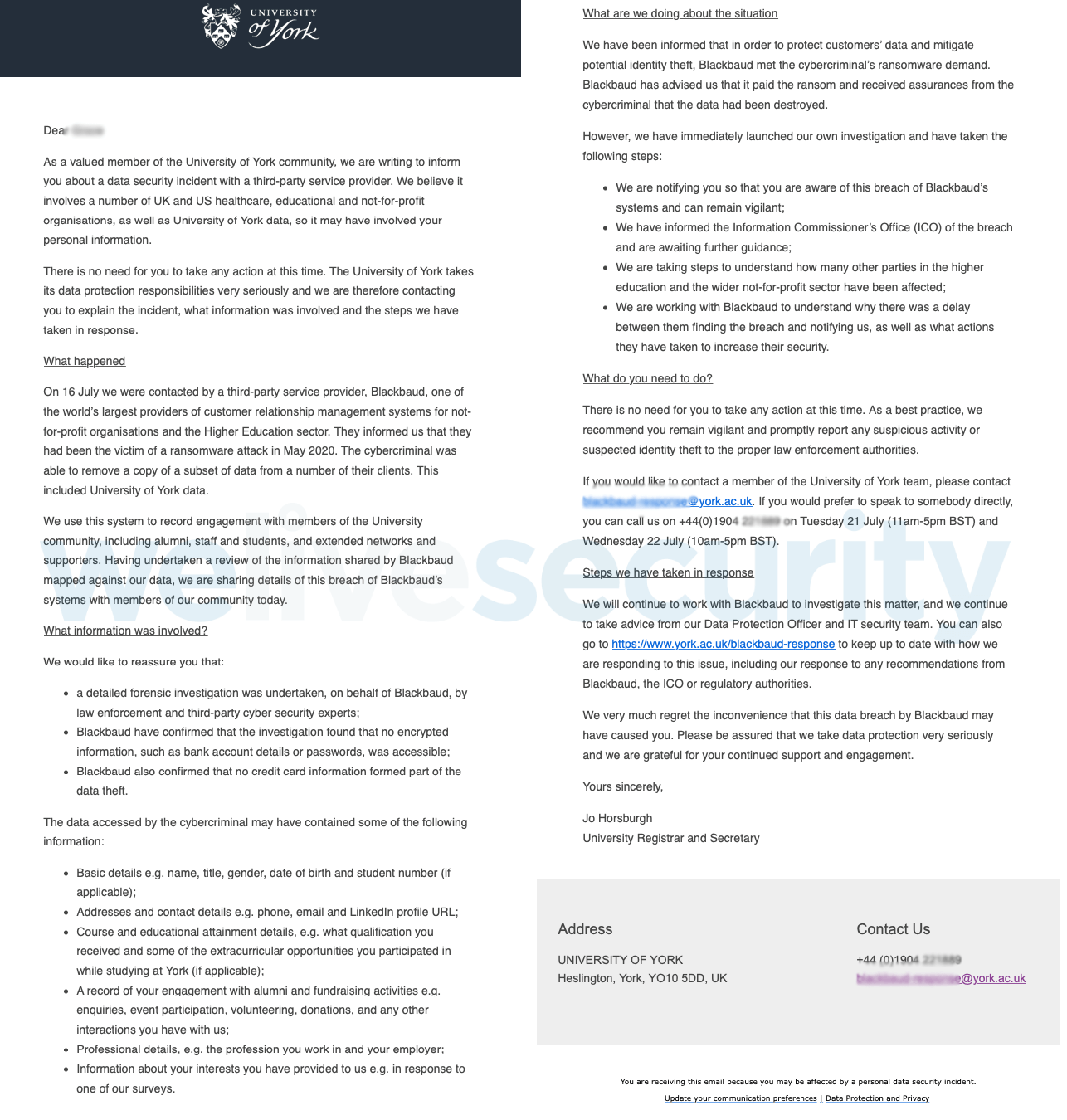
Decoding a breach notification
Understanding the language used in a breach notification can be tricky. For instance, if a company says your data was “accessed,” it doesn’t necessarily mean it was stolen. And claims of “no evidence of misuse” can’t always be taken at face value.
While breach notices may not divulge the attack vector, what’s more important for you to know is:
- Whether your data was accessed or taken
- What specific data was compromised
- When the breach occurred and for how long
- What steps the company recommends you take
Is it legit?
It’s crucial to verify the authenticity of a breach notification. Scammers are aware of the growing prevalence of such notifications and may try to capitalize on them. Never click on unsolicited breach emails or messages. Always confirm with the company through independent channels.
Once you’ve confirmed the legitimacy of the notification, consider taking the following steps based on the type of data exposed:
- Personal details: Watch out for phishing attempts and avoid sharing information without verification
- Health info or account details: Be cautious of targeted phishing attacks
- Usernames and passwords: Change your credentials and enable two-factor authentication
- Bank or card details: Contact your financial institution and monitor your accounts
- Government ID: Follow issuer guidelines for replacements
- Financial and identity info: Monitor accounts, update logins, and consider credit monitoring
Credit freeze vs. credit monitoring
While breached organizations may offer free credit monitoring, it’s essential to understand the difference between that and a credit freeze. Both can be beneficial in detecting fraudulent activities.
As the frequency of data breaches rises, it’s crucial to remain vigilant and informed to mitigate the risk of further harm. Stay safe!
Got questions? We’ve got answers!
How can I tell if a breach notification is genuine?
Avoid clicking on unsolicited notifications and verify with the breached organization through independent channels.
Why did I receive a notification from an unknown company?
It could be a third-party provider used by a company you interacted with or potentially a scam. Contact the company directly for clarification.
What should I do if my password was exposed?
Change your credentials and enable two-factor authentication.
What steps should I take if my financial details were compromised?
Monitor your accounts, contact financial institutions, update logins, and consider credit monitoring.
Is credit monitoring worth it?
Credit monitoring can be useful in detecting suspicious activity, but a credit freeze provides stronger protection. Use both if offered.